

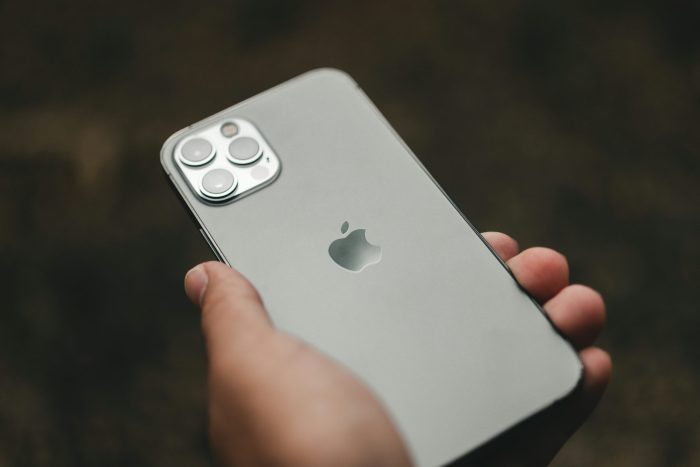
Apple’s steady cadence of software updates continues with the release of iOS 18.6, the latest refinement to its already feature-rich mobile operating system. While it may not introduce sweeping changes like major point upgrades (e.g., iOS 18.0), iOS 18.6 focuses on performance improvements, subtle enhancements, and crucial bug fixes that enhance the overall iPhone experience.
In this comprehensive guide, we break down everything you need to know about iOS 18.6, including new features, security updates, device compatibility, and whether or not you should upgrade.
What Is iOS 18.6?
iOS 18.6 is the sixth minor update to iOS 18, Apple’s current-generation operating system for iPhones. Minor updates like this typically arrive to fine-tune performance, squash lingering bugs, and occasionally introduce smaller features that didn’t make it into earlier versions.
Released in July 2025, iOS 18.6 reflects Apple’s continued commitment to providing timely updates that ensure iPhones remain secure, efficient, and up to date with the latest innovations.
What’s New in iOS 18.6?
While iOS 18.6 doesn’t include groundbreaking changes, it introduces a mix of improvements across system apps, performance tuning, and a few delightful surprises.
1. Performance and Battery Optimizations
Many users reported sluggish app launches and overheating issues in iOS 18.5. Apple appears to have taken this feedback seriously. With iOS 18.6, noticeable performance improvements can be observed, particularly in multitasking and gaming. Battery drain—especially on older iPhones like the iPhone 13 and iPhone 12—has also been addressed.
2. Enhanced Siri Contextual Awareness
Siri continues to evolve, and in iOS 18.6, it receives another subtle but significant upgrade. Now, Siri can better understand contextual queries, especially when referring to previous questions in a conversation. For example, you can say, “When does my flight leave?” after asking about travel plans, and Siri will pull data from emails or calendar entries.
3. Health App Insights
The Health app gets smarter in iOS 18.6. A new “Sleep Trends” section helps users identify patterns that affect sleep quality, integrating data from Apple Watch more intuitively. There are also added reminders for hydration and mindful breathing based on personal schedules.
4. Wallet and Apple Pay Improvements
Apple Wallet now features better support for transit cards and loyalty programs in several regions. Additionally, Apple Pay in iOS 18.6 introduces support for biometric authentication even when Face ID is partially obstructed (e.g., while wearing sunglasses or masks), improving usability on the go.
5. Bug Fixes and Security Patches
As with any iOS update, iOS 18.6 includes a set of security patches. Apple has addressed vulnerabilities reported by researchers and developers, including several kernel-level bugs and WebKit exploits. These are essential for protecting user data and securing web activity on Safari.
Device Compatibility
Apple continues its impressive legacy of long-term device support. iOS 18.6 is compatible with all the same devices supported by iOS 18, including:
- iPhone 15 series
- iPhone 14 series
- iPhone 13 series
- iPhone 12 series
- iPhone 11 series
- iPhone XS / XR
- iPhone SE (2nd generation and newer)
If your device runs iOS 18, it will handle iOS 18.6 without issue.
How to Download and Install iOS 18.6
Upgrading to iOS 18.6 is simple:
- Open Settings on your iPhone.
- Go to General > Software Update.
- Tap Download and Install when iOS 18.6 appears.
- Make sure your device is connected to Wi-Fi and has at least 50% battery.
Pro tip: Back up your device to iCloud or a computer before upgrading to avoid any potential data loss.
Known Issues in iOS 18.6
Although relatively stable, a few early adopters have noted minor issues:
- Some users experience delayed notifications from third-party apps like WhatsApp and Gmail.
- CarPlay has reported minor stutters in UI transitions for a subset of users.
- A small number of users mention flickering widgets on the Home Screen.
Apple typically resolves these in subsequent patches, and none of the issues appear widespread or critical.
Should You Upgrade to iOS 18.6?
Yes, most users should upgrade. Here’s why:
- Security: With several zero-day vulnerabilities patched, iOS 18.6 provides crucial protection.
- Stability: Performance improvements and bug fixes make this version smoother than its predecessors.
- Compatibility: No apps have shown issues with iOS 18.6 so far, and Apple’s ecosystem integration remains seamless.
However, if you’re using an older device and your phone is already running well on iOS 18.5, you might consider waiting a week to ensure no unexpected bugs surface.
Final Thoughts
iOS 18.6 may not boast flashy new features, but it’s an important release that demonstrates Apple’s focus on refining the user experience. With smarter Siri, a more intuitive Health app, better Apple Pay functionality, and a renewed emphasis on performance, iOS 18.6 is a worthwhile update for almost every iPhone user.
As always, Apple continues to balance innovation with stability—offering a secure, user-friendly operating system that evolves thoughtfully.
Whether you’re a casual iPhone user or a tech enthusiast, keeping your device updated ensures you benefit from the best Apple has to offer. So, if you haven’t installed iOS 18.6 yet, now’s a good time to tap “Download” and enjoy the latest improvements.